
Coming soon to Google Play

GymDesk

The front desk, in your pocket.

A gym’s whole front desk — members, passes, payments and reports — on one phone.
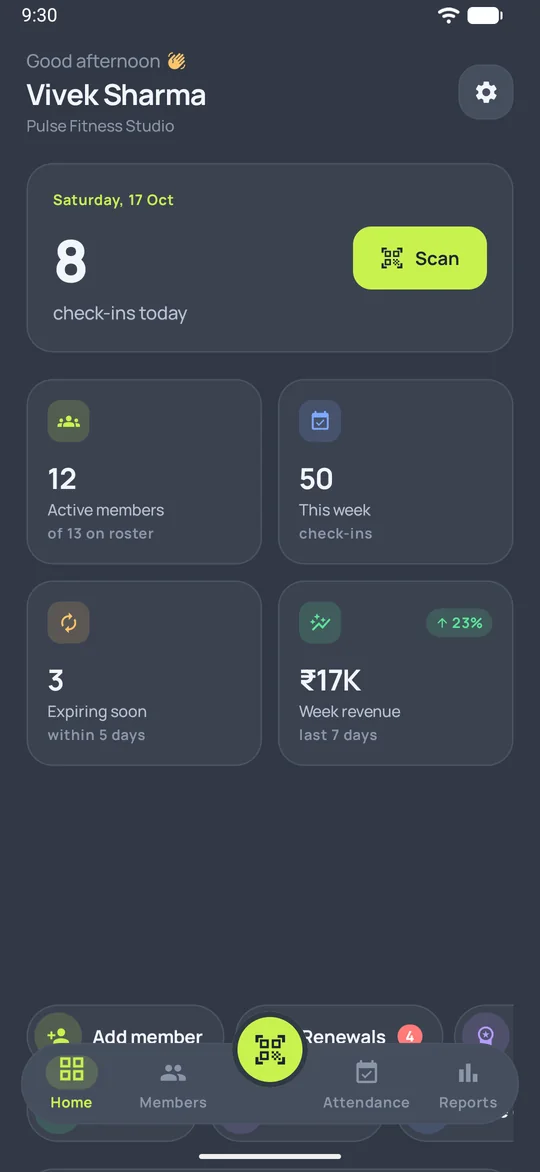
GymDesk’s front desk for today
Works offlineSyncs when you’re back
English + हिन्दीIn the staff’s language
Retention radarSpots members drifting away
1login per gym
150₹ a month for Cloud sync
3report ranges
6months of reports

Who it’s for.

A gym owner and their front desk. One login per gym — no roles to set up.

Records on the phone.

Members, payments and check-ins live in an encrypted database on the phone. Cloud sync keeps a copy if you want one.

Everything in GymDesk

What it does.

Members & entry

  • Status worked out from the plan
  • QR entry pass on WhatsApp
  • Camera check-in and out
  • Scan cards for staff

Money & plans

  • Payments with a live UPI QR
  • Numbered invoices as receipts
  • Plans, trials and freezes
  • Restore on a new phone

Growth

  • Leads, new to converted
  • Retention radar
  • Reports from 7 days to 6 months
  • WhatsApp templates
Built with

How it’s made.

SQLCipherEncrypted database on the phone
FirebaseSign-in and Cloud sync
Google Play BillingCloud sync, ₹150 a month
Camera scannerQR and barcode check-in
UPI QRLive payment codes
Google AdMobAds in the free version
Get started

Three steps.

  1. 01Install GymDesk from Google Play
  2. 02Sign in and set up your gym
  3. 03Add members and start scanning

Your data, plainly.

Your gym’s records live in an encrypted database on your phone.

  • Encrypted on the phone
  • Locked to the account that owns it
  • Cloud copy only with Cloud sync
  • Delete your account any time
Read the privacy policy